
Yes—an online audio to midi converter is safe for unreleased music only when audio decoding runs locally inside your browser (client-side) rather than uploading your raw WAV, MP3, or M4A file to a remote cloud server. Before dropping an unreleased demo, client vocal stem, or film-score sketch into any web converter, you should understand the architectural difference between cloud-upload pipelines and client-side Web Audio processing—and how to verify zero upload yourself in 10 seconds.
Cloud Server Upload vs. Local Browser Audio to MIDI Architecture
Every online audio to midi website falls into one of two technical architectures. Most users never notice the difference on the landing page, yet it determines whether your private recording ever leaves your computer or phone:
| Security Dimension | Cloud-Upload Server Converters | Local Browser Converters (Our Workbench) |
|---|---|---|
| Where Audio Is Processed | Uploaded over HTTPS to remote AWS/GCP GPU servers | Decoded 100% inside local browser RAM via Web Audio API |
| Server File Retention | Typically stored 24 hours to 72 hours (trusting cleanup scripts) | 0 hours — raw audio never touches our servers |
| Terms of Service Risk | Often includes broad "service improvement" or dataset clauses | You keep 100% ownership; zero dataset or AI model training |
| Speed & Daily Caps | Queue waits + strict daily credit caps (3–5/day) | Instant (<3 seconds) + unlimited free local 15s auditions |
| Verifiable by User? | No — you must take the site's Privacy Policy on faith | Yes — verifiable live inside Browser DevTools -> Network |
Why Cloud-Based Converters Pose Risks for Unreleased Demos
When a cloud-hosted online audio to midi service accepts your 24-bit WAV stem or iPhone Voice Memo, the browser sends a multi-megabyte POST upload to a remote disk bucket. Even reputable cloud tools create three inherent exposures for working musicians and record labels:
- Temporary Disk Retention Windows: Uploaded stems commonly sit in temporary object storage for 24 to 72 hours so the site can let you re-download results or debug server errors.
- Ambiguous "Service Improvement" Clauses: Many free cloud tools reserve rights in their Terms of Service to inspect or retain uploaded "User Content" to fine-tune future machine-learning models.
- Forced Account Creation Before Preview: Cloud GPU queues cost the operator money per minute, so most cloud platforms force you to register an account or hit a strict 3-file daily cap before you even hear if the transcription is clean.
How Local Browser Web Audio Processing Eliminates Upload Risk
Modern desktop browsers (Chrome, Edge, Safari, Firefox) and mobile browsers (iPhone Safari and Android Chrome) ship with native Web Audio API decoders (AudioContext.decodeAudioData) capable of reading MP3, WAV, FLAC, and native .M4A containers entirely inside your device's RAM.
In our Audio to MIDI Converter, Piano Audio to MIDI Converter, Vocal Audio to MIDI Converter, and M4A to MIDI Converter:
- Your source file is read directly from your local disk or iOS Files picker into browser memory.
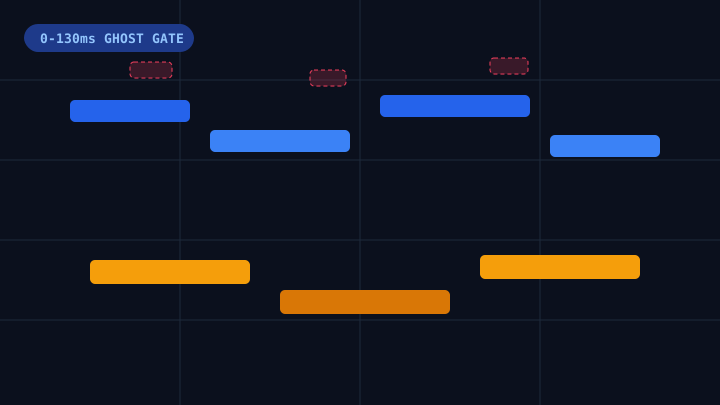
- Pitch detection, 0-130ms harmonic ghost-note filtering, 1/16 beat grid quantization, and binary Standard MIDI File Format 1 (
.mid) assembly all execute client-side. - When you close or refresh the browser tab, the decoded audio buffer is purged from your device's RAM immediately.
How to Verify Zero Upload Yourself in 10 Seconds (DevTools Check)
You should never rely purely on marketing badges when deciding whether an online audio to midi site is safe for confidential stems. Any producer on desktop Chrome, Edge, or Safari can run this 10-second technical audit:
- Open the Converter Page: Load the tool tab first so the initial HTML, CSS, and JavaScript finish downloading.
- Open Browser DevTools (
F12orCmd + Option + I): Switch to the Network tab and click the Clear (⊘) button to empty previous page-load logs. - Drop Your Audio File Into the Workbench: Watch the Network waterfall while the waveform and 88-key Piano Roll decode.
- Inspect Outgoing Requests:
- Safe Local Tool: You will see zero multi-megabyte
POST/PUTupload requests carrying your audio file. The conversion completes in under 3 seconds purely in RAM. - Cloud-Upload Tool: You will immediately see a large
POST /uploador S3/R2 signed-URL transfer sending your raw audio bytes off your computer.
- Safe Local Tool: You will see zero multi-megabyte
Privacy Checklist Before Using Any Online Audio to MIDI Tool
Before converting unreleased studio recordings, run through this four-point online audio to midi safety checklist:
- Check for Client-Side Execution: Confirm the tool explicitly states that audio decoding runs locally in your browser via Web Audio API or WebAssembly rather than remote GPU servers.
- Test With a 15-Second Preview First: Prefer workbenches that let you decode, audition on an 88-key Piano Roll, and download a 15-second
.MIDsample with zero signup and zero server upload. - Read the Data Retention & AI Training Policy: Verify on the site's Privacy Policy that raw recordings are never retained or used to train third-party generative music datasets.
- Keep Sensitive Stems Dry & Trimmed: Trimming silence and feeding only the isolated piano, guitar, or vocal phrase you need keeps local browser decoding instantaneous (under 2 seconds) even on mobile Safari.
Try Zero-Upload Audio to MIDI Locally in Your Browser
Ready to verify local browser decoding on your own tracks? Open our Audio to MIDI Converter, press F12 to watch the Network tab stay completely clean, audition your recording on the 88-key Piano Roll, and download unlimited free 15-second .MID samples with zero cloud upload and zero signup.