Polyphonic Audio to MIDI Studio Engine

M4A to MIDI Converter for iPhone Voice Memos & Mobile Audio

Convert native iPhone Voice Memo (.M4A) and mobile audio recordings into clean, quantized MIDI right in Safari or Chrome—no app download, no signup, zero cloud upload. Strip breath clicks and export unlimited free 15s .MID samples.

✓ MP3, WAV, FLAC & M4A Support ✓ 0-130ms Ghost Note De-Noiser ✓ 1/16 Beat Grid Quantization ✓ Local Browser Decode & Free 15s .MID
Acapella Soprano Topline & Humming Idea.m4a M4A · Voice Memo · Breath Gate

Drop singing or humming M4A, MP3, WAV — decoded locally with breath gating

Vocal Stems:
Tip: Click any note bar to audition its pitch
00:00.0 00:15.0
✓ Local browser vocal decoding

How to Run an M4A to MIDI Conversion on Mobile or Desktop

Go from an iPhone Voice Memo or Android .M4A recording to a DAW-ready .MID file in three fast steps.

01

Select Your Native .M4A Voice Memo Locally

On iPhone, open Voice Memos -> Share -> Save to Files, then pick your native .M4A file right inside our browser dropzone on Safari or Chrome—no app download or signup needed.

02

Gate Phone Mic Noise & Quantize Melody

Open DSP Controls to set the 0-130ms Breath Gate (60ms-80ms for voice memos), lock loose phrasing to a 1/16 beat grid, and transpose +/-12 semitones live.

03

Download Free 15s Sample or Full .MID File

Download unlimited free 15-second .MID samples to test inside GarageBand, FL Studio, Logic Pro, or Ableton Live, or export the full-length m4a to midi track for 1 studio credit.

Why Songwriters Use Our Browser M4A to MIDI Workbench

Built for iPhone Voice Memos, Android recordings, and AAC .M4A audio files with zero cloud upload.

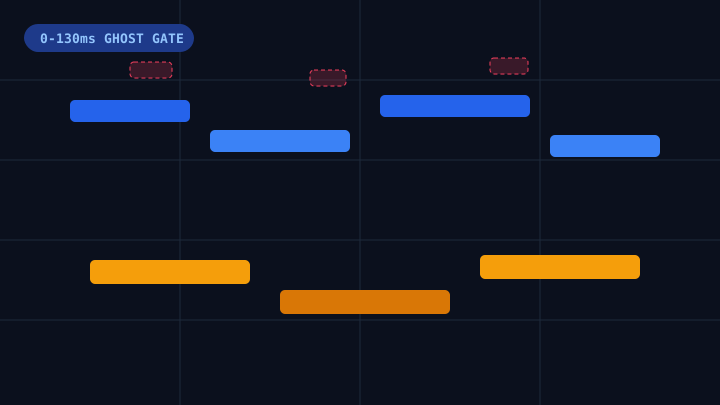
Native M4A Breath Gate <60ms Default Gate

Smartphone Mic Breath & Plosive Rejection

Automatically reject unvoiced breath inhalations, pocket rustle, and 's'/'t' consonant spikes under 60ms from smartphone M4A recordings.

Native iPhone Voice Memo M4A breath transient and noise gate stripping sub-60ms clicks
Strip phone mic breaths and consonant clicks live in your m4a to midi session.
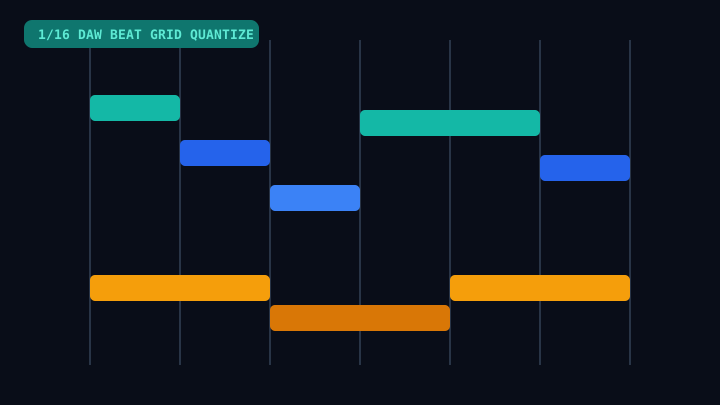
1/16 DAW Grid Snap 50-200 BPM Sync

1/16 Beat Quantization & Live Semitone Transpose

Turn loose late-night humming or acoustic guitar voice memos into quantized MIDI clips that drop cleanly onto barlines in FL Studio, Logic Pro, or Ableton Live.

1/16 beat grid quantization snapping loose voice memo humming to DAW tempo
Snap free-tempo voice memos to tight 1/8, 1/16, or 1/8T DAW grids.
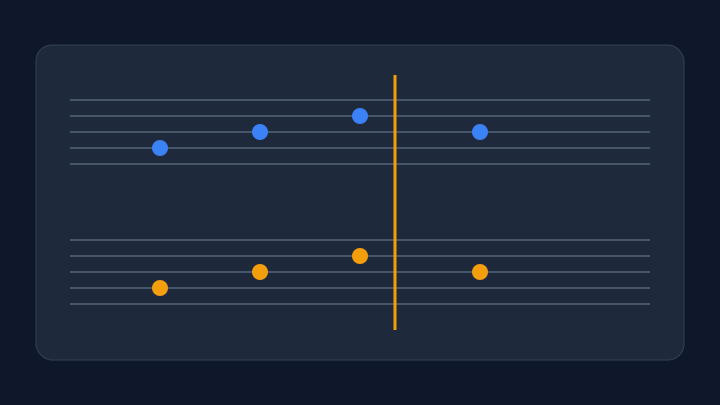
Lead Sheet Clef Check -12 to +12 Semitones

Interactive 88-Key Piano Roll & Clef Verification

Switch from the 88-key Piano Roll to the 5-Line Clef view and click any note bar to confirm your sung or played melody pitch before downloading.

Treble and bass clef notation preview for verifying M4A voice memo pitch intervals
Inspect voice-memo pitch intervals on a live 5-line clef staff before export.
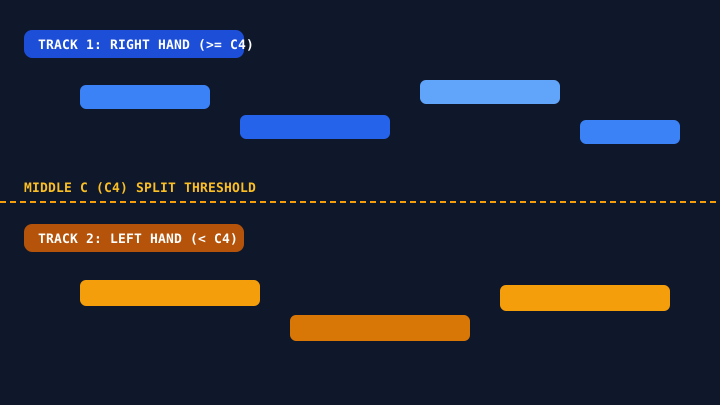
SMF Format 1 Output Track 1 RH / Track 2 LH

Dual-Track SMF Format 1 Export for Any DAW

Export standard SMF Format 1 (.MID) files with Track 1 treble (>= C4) and Track 2 bass (< C4) so both vocal hooks and acoustic sketches open cleanly in any DAW.

C4 dual-track split separating right-hand melody and left-hand bass from M4A recordings
Automatic C4 register split works for both voice memos and acoustic piano M4A takes.

How to Convert an iPhone Voice Memo M4A to MIDI Directly on Mobile or Desktop

Songwriters, beatmakers, and composers capture most of their best melody ideas spontaneously in Apple Voice Memos or Android voice recorders, which save recordings in the MPEG-4 Audio (.M4A) container format. Until recently, turning a raw smartphone voice memo into a DAW-ready MIDI clip meant AirDropping the file to a laptop, running a separate format converter to turn M4A into WAV, uploading the track to a cloud website, and spending twenty minutes deleting stray breath-noise spikes inside FL Studio or Logic Pro. Our browser-based m4a to midi workbench collapses that entire pipeline into a single local web tab that runs directly on iPhone Safari, Android Chrome, macOS, and Windows.

The secret to clean m4a to midi transcription on smartphone recordings is handling two mobile-specific challenges: AAC compression transients and close-mic breath noise. Because iOS Voice Memos encode audio with lossy AAC framing, plosive consonants ('p', 't', 'k') and sharp inhalation breaths between hummed phrases generate short high-frequency bursts lasting 20ms to 55ms. In an unfiltered pitch detector, those bursts scatter phantom notes across the upper octaves of your piano roll. By opening the DSP Controls drawer and setting our Breath & Sibilant Gate between 60ms and 80ms, our m4a to midi engine strips unvoiced clicks live while keeping genuine vocal phrasing intact.

To get studio-grade results from your phone right now, follow three simple steps on iOS: open Apple Voice Memos, tap the three-dot menu on your hummed or acoustic piano sketch, choose Share -> Save to Files, and select that native .M4A recording inside our m4a to midi dropzone. Your file decodes locally inside mobile browser memory in under 3 seconds with zero cloud upload, protecting unreleased songwriting demos. Audition the extracted melody on the interactive 88-key Piano Roll, lock loose timing to a 1/16 or 1/8T beat grid, transpose -12 to +12 semitones to match your synth patch, and download unlimited free 15-second .MID samples before spending 1 non-expiring studio credit on full-length m4a to midi exports.

Native iOS Voice Memo (.M4A) Browser Decoding

iPhone Voice Memos, Android recorders, and WhatsApp voice notes save audio in AAC-encoded .M4A containers. Our browser m4a to midi engine decodes native .M4A directly with no separate M4A-to-WAV pre-conversion step.

Mobile Safari & Android Chrome Ready (No App)

Works smoothly inside iPhone Safari and Android Chrome with zero App Store download, zero account registration, and unlimited free 15-second .MID sample exports up to 50MB.

Smartphone Mic Breath & Noise Gate (0-130ms)

Handheld smartphone recordings pick up pocket rustle, breathing, and room echo. Our 0-130ms Breath & Ghost Note Gate strips sub-60ms phone microphone artifacts cleanly before exporting your m4a to midi sequence.

Zero-Upload Unreleased Demo Privacy

Every uploaded .M4A voice memo is decoded locally inside your phone or desktop browser RAM via the Web Audio API—unreleased song ideas never upload to a cloud server.

M4A to MIDI Mobile & Desktop Comparison

Compare our native browser m4a to midi workbench against cloud uploaders that reject M4A files or force mobile app downloads.

Capability AudioToMIDI M4A Workbench Desktop / Cloud Converters Manual Ear Transcription
Native iPhone .M4A Support ✓ Direct Native .M4A Browser Decoding (Zero Pre-Step) Forces you to convert M4A -> WAV first Requires desktop DAW import
iPhone Safari & Android Chrome Mobile UX ✓ Runs Directly in Mobile Browser — No App Needed Requires App Store download or desktop install Desktop only
Unreleased Song Idea Privacy ✓ 100% Local Browser Decode (Verifiable in DevTools) Uploads unreleased voice memos to cloud servers Local but takes 45+ minutes
Voice Memo Breath & Sibilant Gate ✓ Live 0-130ms Gate + Vibrato Pitch-Center Lock Breath clicks turn into chaotic high MIDI spikes Manual note cleanup in piano roll
Mobile Limits & Credit Pricing ✓ Unlimited Free 15s .MID Samples + $4.99 Pack (Waffo) Daily caps (3-5/day) or forced monthly plans Slow manual workflow

Frequently Asked Questions About M4A to MIDI

Answers for songwriters converting iPhone Voice Memos, Android recordings, and AAC .M4A stems into clean DAW MIDI.

How do I convert an iPhone Voice Memo M4A to MIDI on mobile Safari?

Open Apple Voice Memos, tap the three-dot menu (...) on your recording, tap Share -> Save to Files, then open this m4a to midi page in iPhone Safari and pick the saved .M4A file directly. No app install or M4A-to-WAV pre-conversion is required.

Can I run an m4a to midi conversion on Android or iPhone without installing an app?

Yes. Our m4a to midi workbench runs 100% inside iPhone Safari and Android Chrome with zero app download, zero signup, and native support for M4A, MP3, WAV, FLAC, AAC, and OGG files up to 50MB.

Are my unreleased iPhone Voice Memos uploaded to a server during m4a to midi decoding?

Yes. All .M4A audio decoding happens locally inside your mobile or desktop browser RAM via the Web Audio API. Your unreleased voice memos are never uploaded to public cloud servers or used for model training.

How do I get the cleanest m4a to midi notes from a hummed voice memo?

When humming a hook into your phone, articulate each rhythm onset lightly with a clear syllable like 'da' or 'na' in a quiet room, then set the Breath & Sibilant Gate to 60ms-80ms and enable 1/16 Beat Quantization in our m4a to midi DSP drawer.

Is this m4a to midi converter free, and is there a daily limit?

You can decode unlimited .M4A files and download unlimited free 15-second .MID samples every day with zero signup. Full-length dual-track m4a to midi exports use 1 studio credit ($4.99 for 30 non-expiring credits via Waffo, no subscription required), and new Google sign-ins get 2 free welcome credits.

Turn Your iPhone Voice Memo (.M4A) Into DAW MIDI Now

Export your iPhone Voice Memo to Files and run an instant local browser m4a to midi conversion with free 15-second .MID downloads—no app or signup required.